Description
Minimap Cleared
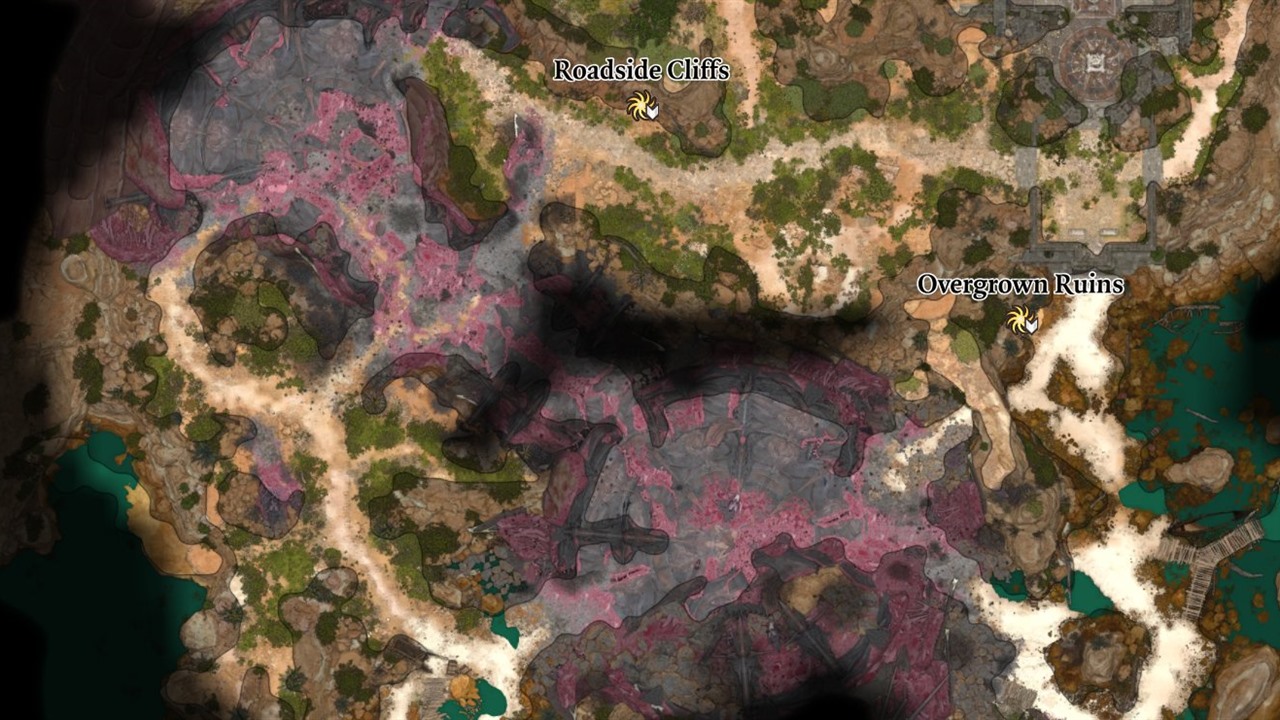
Removes the black grid lines from the minimap, for a clean map view.
What it does
- The minimap no longer shows the black grid lines. You see the map itself, without a grid on top.
- The change is there for keyboard and mouse and for a controller.
- Nothing else changes, and there is nothing to set up.
Screenshots

How to install
- Download
bg3_minimapcleared.pakfrom the latest release on GitHub. - Copy it to
%LOCALAPPDATA%\Larian Studios\Baldur's Gate 3\Mods. - Enable Minimap Cleared in your mod manager (BG3 Mod Manager or the in-game mod manager).
To update the mod, replace the .pak with the one from the new release. To remove it, disable it in the mod manager
and delete the .pak. Saves made with the mod can then show a warning about a missing mod.
Compatibility
- Game version: Patch 8
- Other mods that change the style of the map (
ls:LSWorldMap) conflict with this one: the mod that loads later wins.
Known issues
None yet.
How to build
Anyone can build this mod from its source code and check that the download matches it.
- Install the tools: Windows PowerShell 5.1 (part of Windows) and LSLib
v1.20.4. Put LSLib into a folder
_tools\lslib\above the repository, or setBG3_TOOLSto the folder that holdslslib\. - Build it:
powershell -ExecutionPolicy Bypass -File .\build.ps1 - Find the file:
dist\bg3_minimapcleared.pak
Credits
Made by Kintaro. MIT license: you may use, change and share this mod.